NextThe InnerWebs

A smart inbox for the mind

Mindless

Role

Founder, Product & Design

TryApp Store ↗
Year

2021-26

Mindless is a smart inbox for everything people want to remember, built around a simple idea: software should match how people naturally think and remember. People do not think in separate apps for notes, tasks, links, and files. They think in terms of people, places, and things.

Eight apps. Only one system?

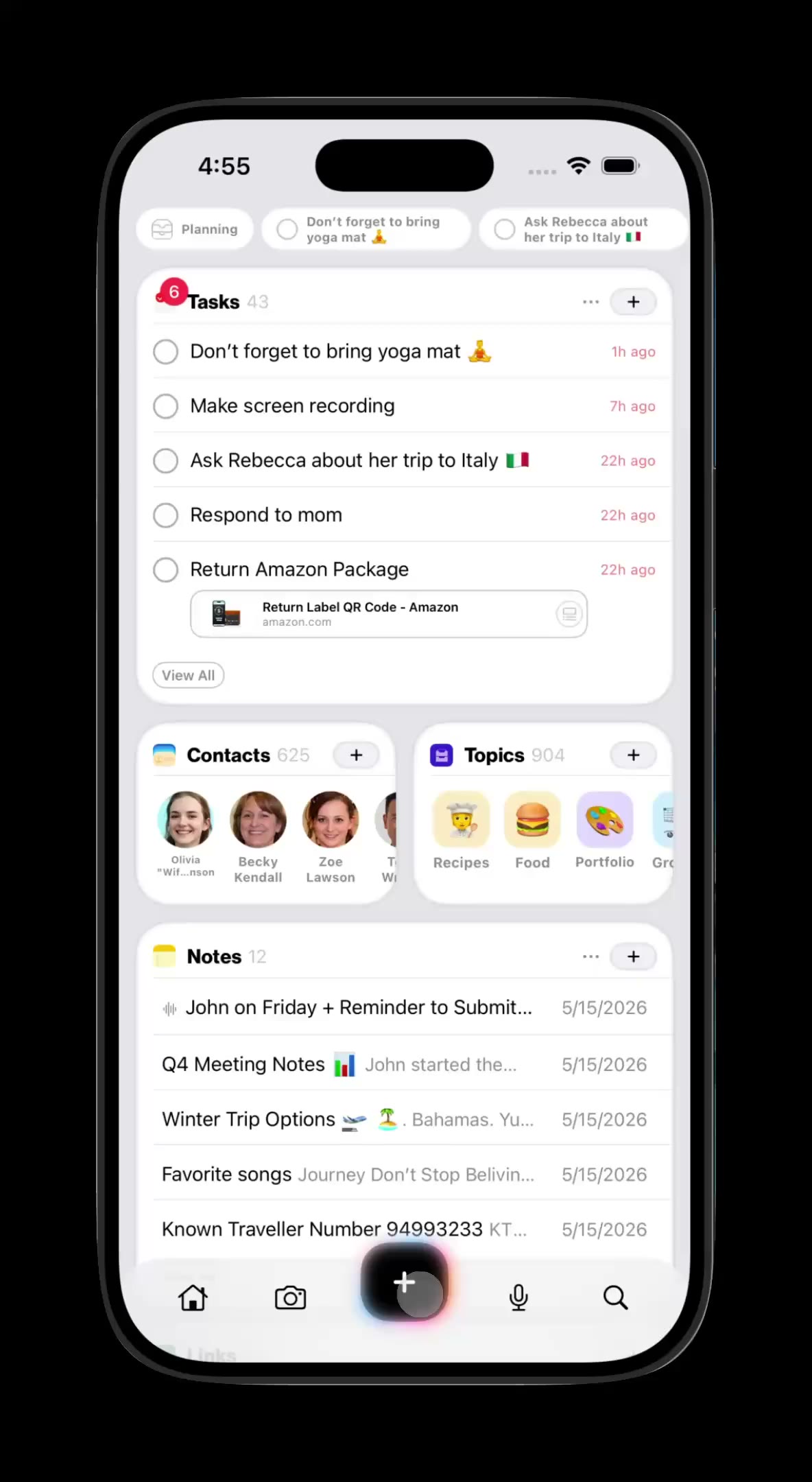
How to design a consistent experience and design language across tasks, notes, contacts, bookmarks, images, files, topics, and recordings coexisting as one product across phone, tablet, and desktop?

How does everything connect?

How should different kinds of information relate to each other, how should those relationships behave, and how do you make a large amount of interconnected information understandable?

How to rethink what users already know?

How do you rethink deeply familiar tools without fighting the mental models people have built up over decades of using them?

Scheduling shouldn’t be the hard part.

In lots of reminder apps, the scheduling flow is an afterthought. So oftentimes, the perceived friction of scheduling causes users to give up on adding or updating tasks altogether.

So I spent a lot of time looking at what was missing from existing experiences - and what would make scheduling feel intuitive instead of effortful.

Apple Reminders
Mindless
To schedule: One app makes you think. The other app is “Mindless.”

Try it yourself: reschedule a task for noon in Apple Reminders, then try Mindless. See which feels more fluid, intuitive, and fast.

Type or tap

Scheduling tailored
to how users think.

Type “Pick up kids at 4pm” and Mindless will detect the time and date. If you don’t want to type, long-press or right-click any row to open a quick schedule carousel.

The suggestions are time-aware, too. At 9am, users might see Noon, 3pm, and 7pm alongside familiar options, so the likely choice is already within reach. For more control, the full scheduling view offers duration-based choices, suggested times across the next week, and a calendar for anything further out.

Long-press any row for a faster way to reschedule.

A snooze button for the internet.

Some things are easier to remember when their original context comes with them. Mindless’ share extension and Chrome extension let people save, organize, and snooze links, screenshots, and images.

Rather than reducing them to plain-text reminders, Mindless treats them as first-class objects, keeping the original content and context attached.

Examples of contextual reminders

  • LinksAn article or video to revisit, a ticket lottery to enter, or a reservation window to catch.
  • ScreenshotsA design to remember, a message to reply to, or a product to look up.
  • PhotosA parking meter to check, a receipt to keep, or a restaurant to try.
Sharing a link into Mindless from Instagram.

Tags are not just labels.

In most products, tags are an afterthought: an empty field to configure, a utility for search, or something buried in a filter menu. But if tags can represent people, places, projects, topics, and almost anything else, they can do much more than categorize information.

Designing them that way introduced a different set of problems: how do you avoid the blank canvas, help structure emerge naturally, and make those relationships useful beyond search?

01 / Reduce the blank canvas problem

What stops users from tagging?

An empty tag field creates work at exactly the wrong moment. Before saving, users have to invent categories, choose how specific to be, and guess what will still matter later. Mindless uses a small set of defaults to prompt a starting point.

02 / Make organization effortless

How to make tagging increasingly easy?

Manual organization creates friction, while fully automatic organization wasn’t possible before LLMs. Mindless explored a middle ground: suggestions based on existing relationships. If Work, Planning, and Q3 repeatedly appeared together, selecting Work could suggest Planning and Q3, reducing repetitive work while keeping the user in control. We now blend this approach with full AI tagging.

03 / Make tagging worth it

What if tags were more than labels?

Tags are easy to forget when they only help with search or filters. In Mindless, every tag has its own view: opening a person, place, project, or topic reveals related reminders, notes, links, contacts, and files. With relationships working in both directions, tags become part of how you move through your information, not just metadata.

Associative suggestions

The app remembers what you tend to use together.

As people tag things, Mindless learns which tags tend to appear together. If Work, Planning, and Q3 often appear on the same items, choosing Work can bring Planning and Q3 to the top.

Suggestions are also backfilled with tags the user has interacted with recently, so the system can balance what they have been using lately with tags historically associated with the current selection, while still leaving every decision to them.

01
Unranked suggestions
Work+ Review+ Recipes+ Planning+ Travel+ Q3+ Books+ Health+ Finance+ TV+ Music+ Shopping
02
Analyze & rank historic pairings
03
Ranked suggestions
Work1+ Planning2+ Q33+ Review

Try the app for yourself.

Next case studyThe InnerWebs ↗